Five rules. One click. Zero compromise.
Deploy battle-tested Cloudflare WAF rules from WordPress. Manage DNS, monitor analytics, purge cache, block IPs, and route email.
- Works on Cloudflare Free
- WP 6.0+ · PHP 8.0+
Battle-tested. Live in your dashboard.
Get auto-updates, priority support, and lifetime access.
Cloudflare,
built into WordPress.
Eight modules that replace your Cloudflare dashboard for day-to-day tasks. Deploy rules, manage DNS, monitor traffic, and route email without ever leaving WP admin.
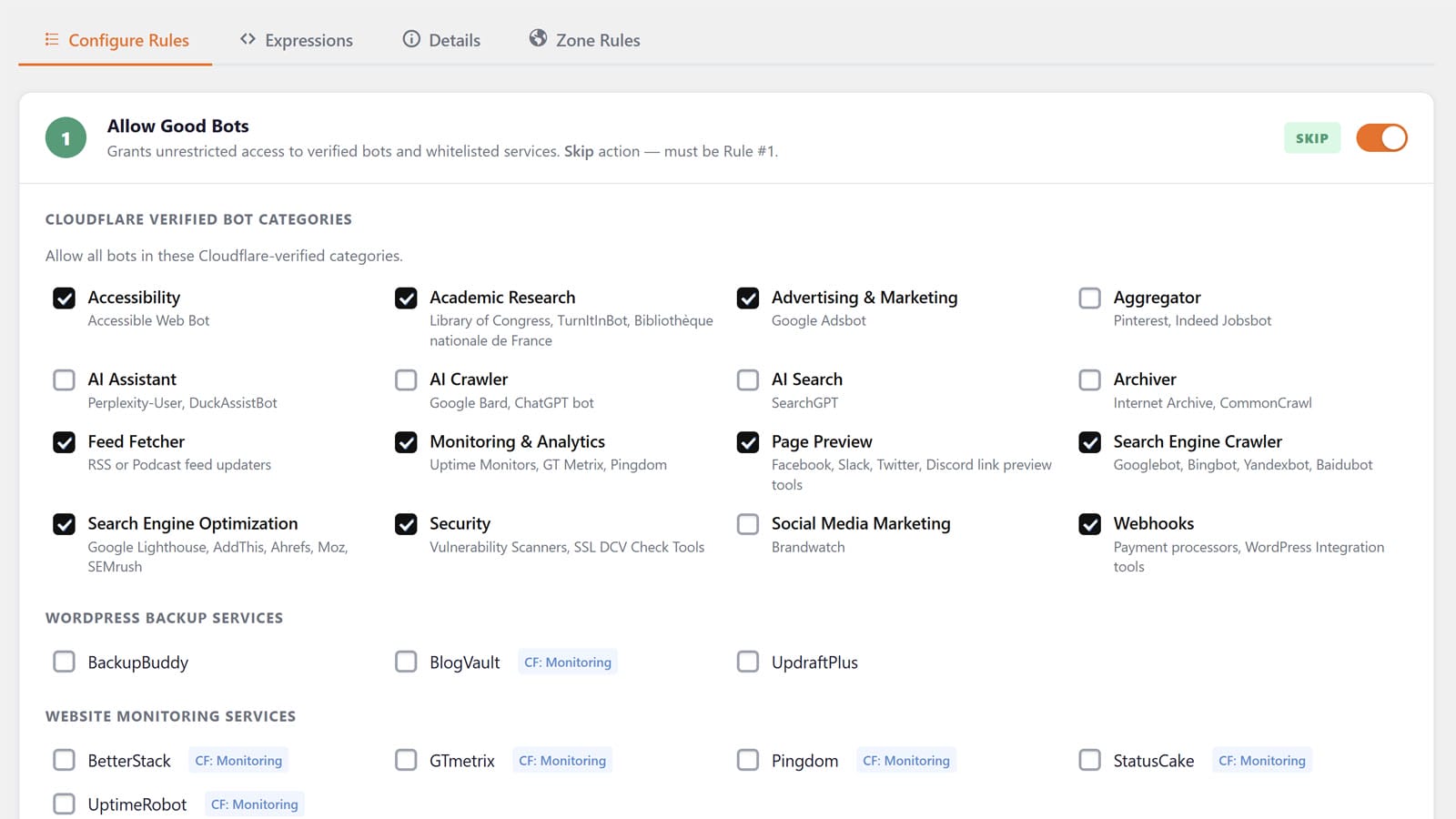
Deploy 5 battle-tested rules in one click.
Block bad bots, aggressive crawlers, web hosts, TOR, cloud providers, and VPN abuse.
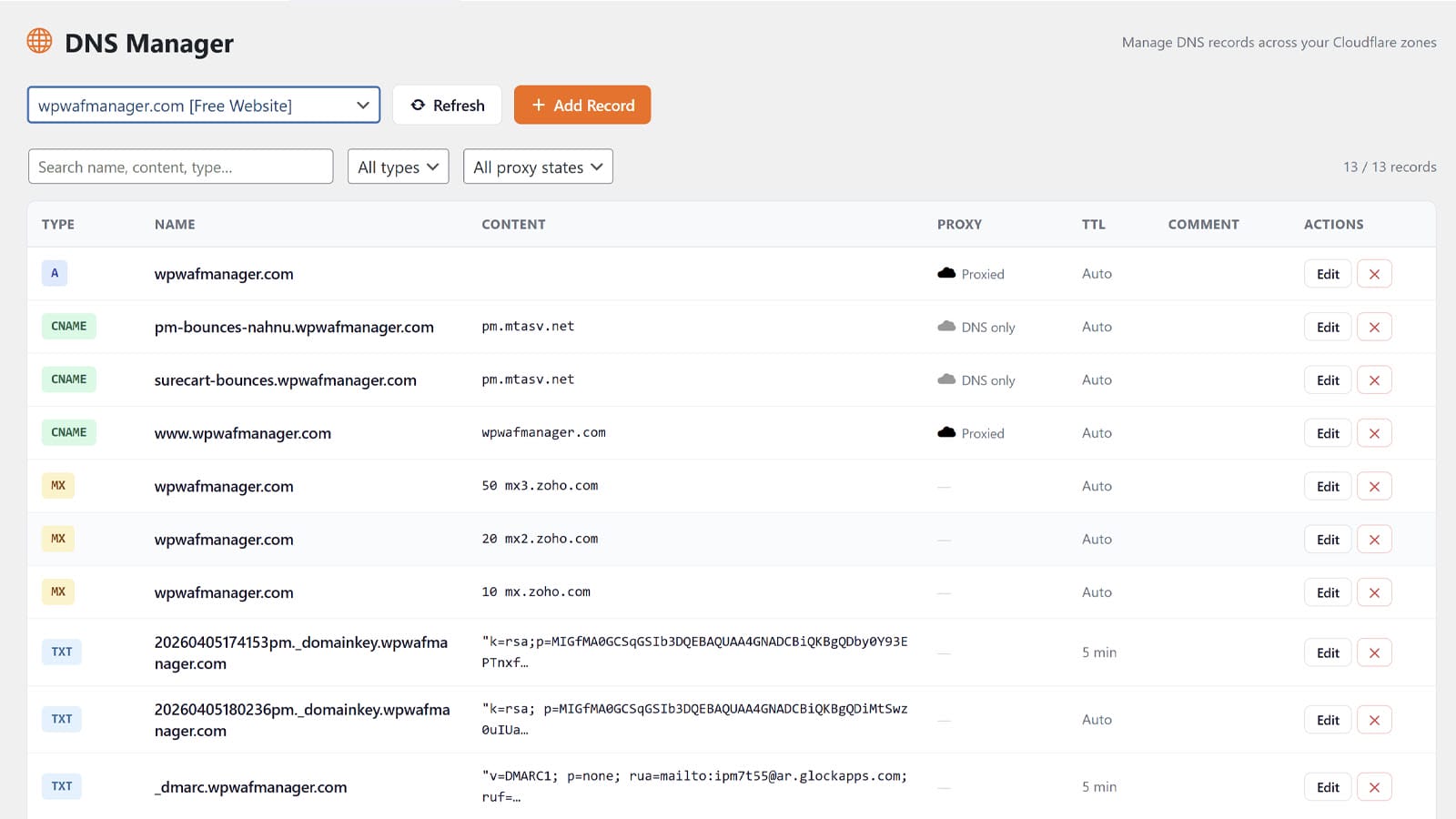
DNS Manager
All 21 record types with type-aware forms, proxy toggle, and TTL control.
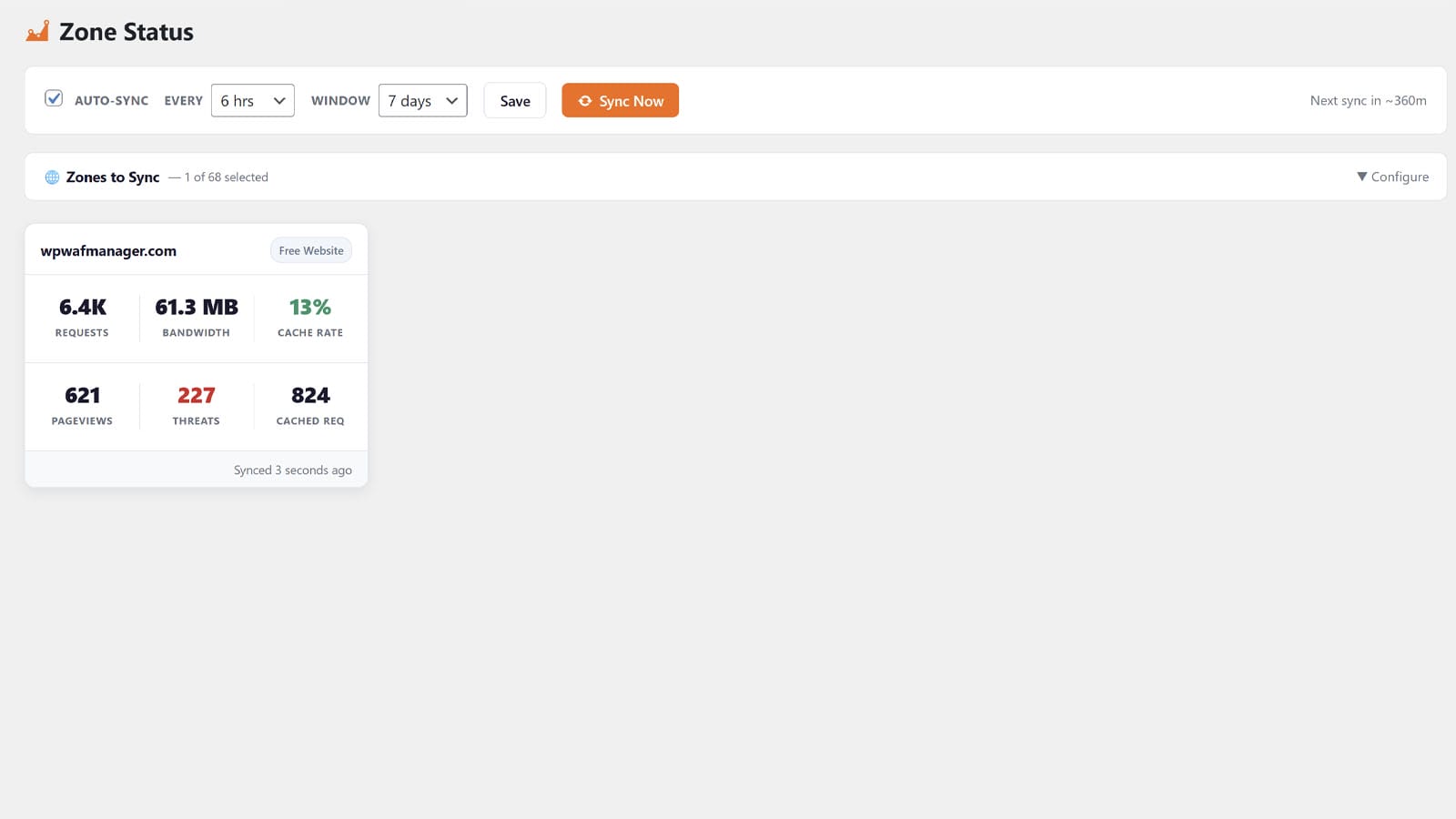
Zone Analytics
Requests, bandwidth, cache rate, threats powered by Cloudflare GraphQL.
Zone Controls
Under Attack Mode, Dev Mode, cache purge, SSL, and per-zone settings.
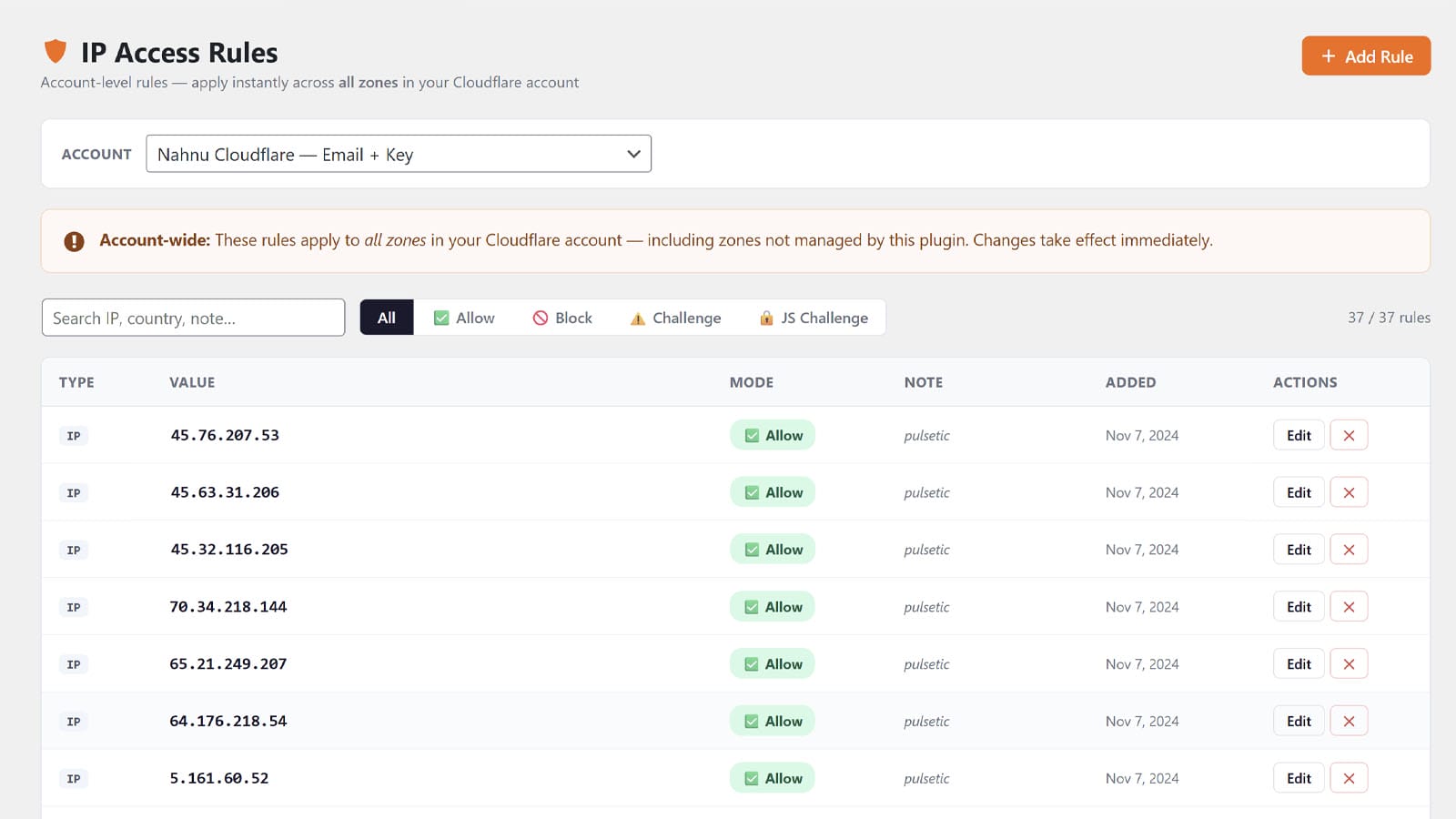
IP Access Rules
Account-level rules that apply across all zones instantly.
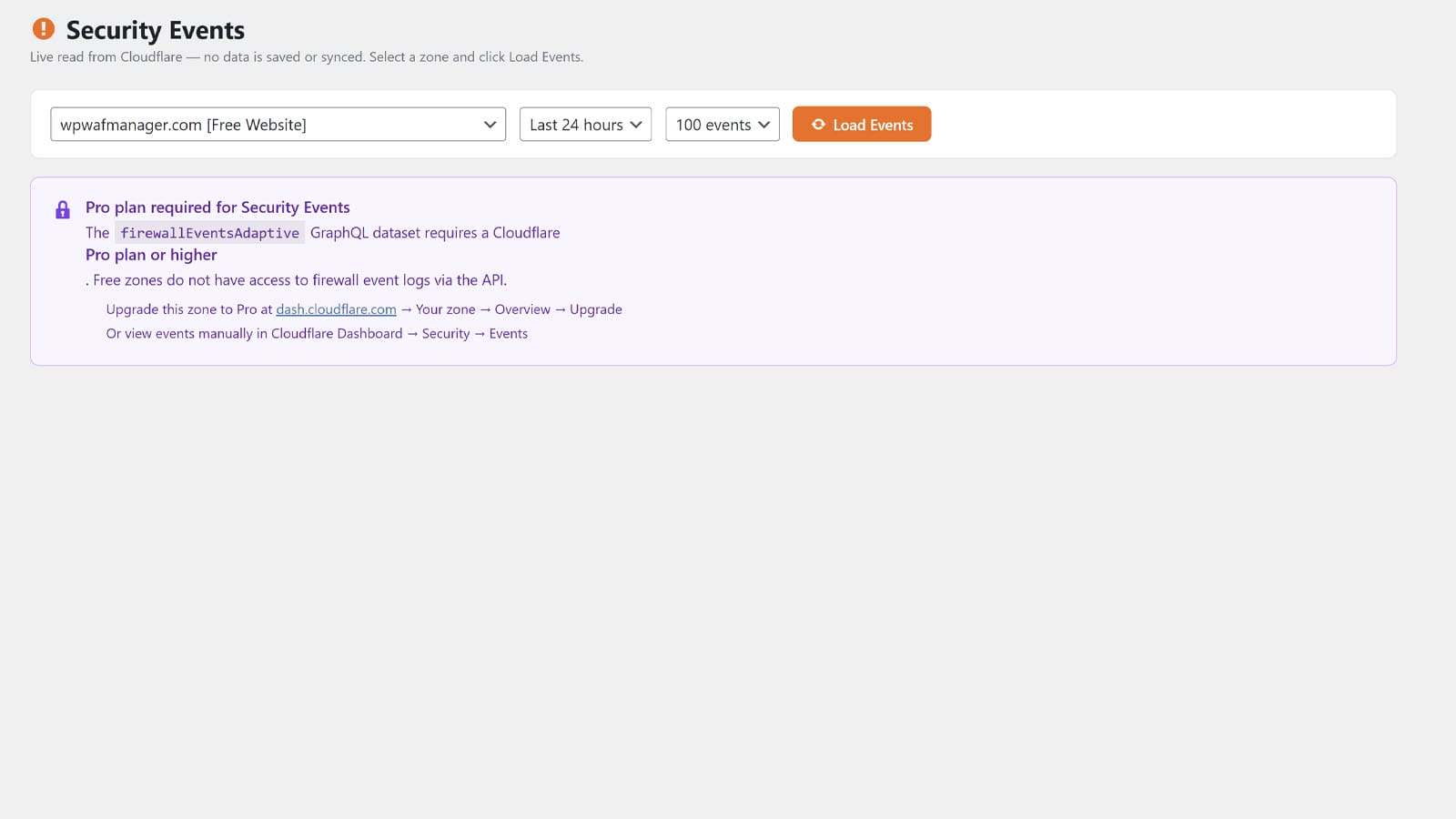
Security Events
Real-time firewall events with filtering and time ranges.
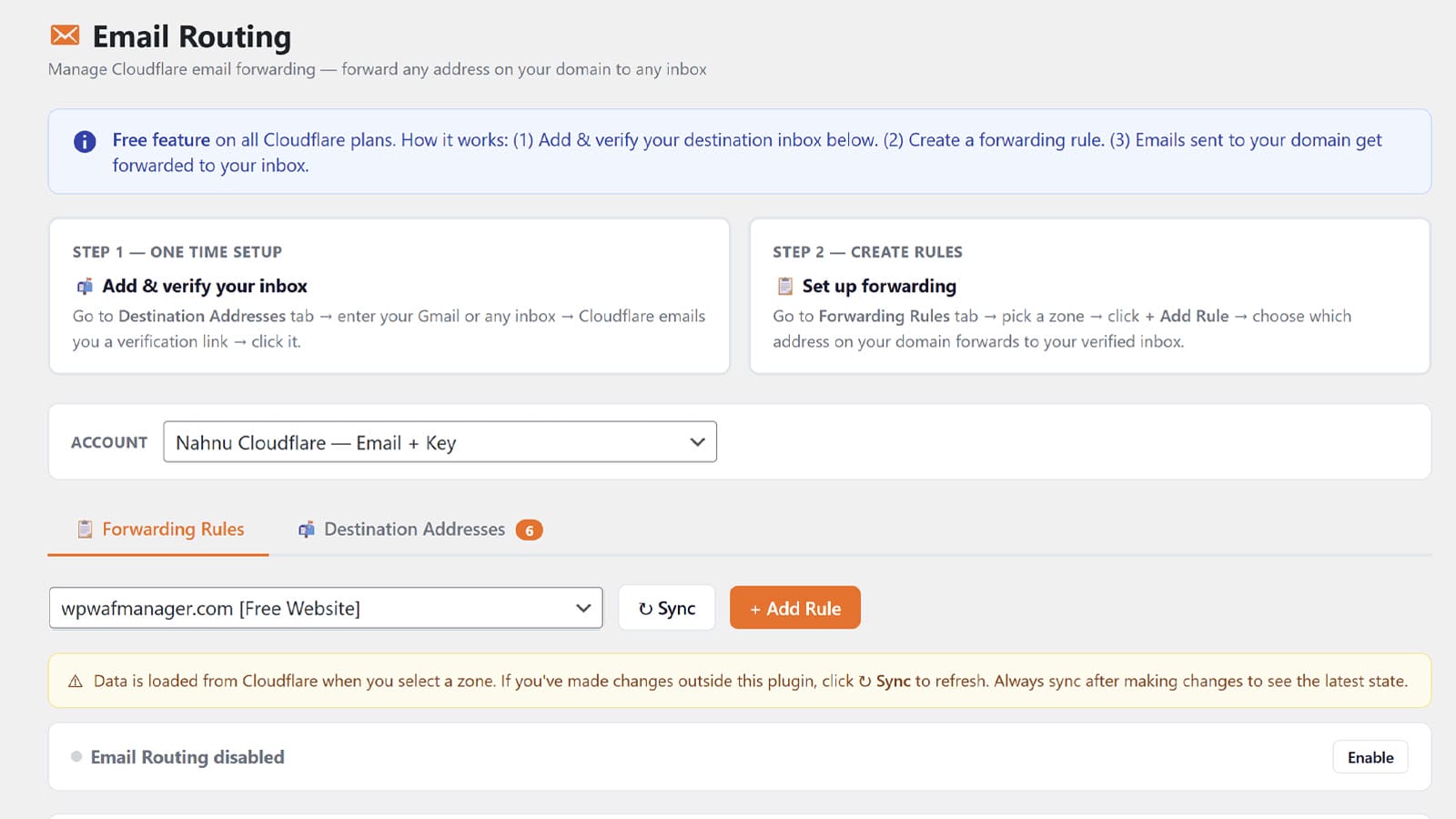
Email Routing
Forwarding addresses and catch-all rules for free on all plans.
Multi-Account Support
Manage every client's Cloudflare account from one install.
Pay once.
Own it forever.
No subscriptions. No hidden tiers. Get the full plugin free on GitHub or unlock auto-updates and support with a one-time Pro license.
- All 8 modules included
- 5 battle-tested WAF rules
- DNS Manager (21 record types)
- Zone Analytics & Controls
- Multi-account support
- Community support via GitHub Issues
- Manual updates via download
- Everything in Free, plus:
- Automatic updates in WP Admin
- Priority email support for 1 year
- 14-day money-back guarantee
Built like a real product,
not a settings page.
Every module is designed to feel native to WordPress that is clean, fast, and built for daily use.
Frequently asked
questions.
Everything you need to know before installing or upgrading. Can't find what you're looking for? Just email us.
Yes. WP WAF Manager is a Cloudflare management tool & it connects to your existing Cloudflare account via API and lets you manage WAF rules, DNS, analytics, and more from inside WordPress. You'll need at least one zone (domain) added to Cloudflare before you can use the plugin.
Cloudflare itself is free for the features this plugin uses. Sign up at cloudflare.com if you don't have an account yet.
Yes, almost everything works on Cloudflare's Free plan: WAF Rules, DNS Manager, Zone Analytics, Zone Controls, IP Access Rules, and Email Routing.
The only feature that requires a Cloudflare Pro plan or higher is the Security Events viewer, because Cloudflare's Events API is gated to paid plans. Everything else works on Free.
You have two options. Either method works and the plugin supports both.
Option 1: API Token (recommended). Create a scoped token at Cloudflare with these permissions: Zone → WAF → Edit, Zone → DNS → Edit, Account → Firewall Services → Edit, Account → Email Routing Addresses → Edit. This is the safer option because you can limit access to only what the plugin needs.
Option 2: Email + Global API Key. Use the email address on your Cloudflare account along with your Global API Key. Faster to set up but grants full account access, so use this only if you understand the risks.
They solve different problems. Wordfence and Sucuri scan files on your server and block requests after they reach WordPress. WP WAF Manager deploys rules at Cloudflare's edge, blocking malicious traffic before it ever touches your server.
Many users run both, Cloudflare for edge protection and a server-side scanner for file integrity. They complement each other rather than competing.
No. The plugin only runs in WP Admin and it has zero front-end footprint. API calls to Cloudflare happen on demand when you visit a settings page or trigger an action. There's no constant polling, no front-end JavaScript, and no impact on Core Web Vitals.
No. The plugin operates entirely in WP Admin and doesn't touch the front-end output, REST API, or page builder rendering. It's tested with Bricks, Elementor, Beaver Builder, and major SEO plugins like Rank Math, Yoast, and SlimSEO.
Your credentials are stored in your WordPress database with base64 obfuscation and the autoload=false flag and they're never loaded on front-end page requests. We strongly recommend creating a scoped API token with only the permissions the plugin needs, rather than using your Global API Key.
Yes. The full plugin source is on GitHub under an MIT license. You can audit every line of code, fork it, modify it, and deploy your own version. There's no obfuscation, no hidden Pro-only modules, and no telemetry.
Deactivating the plugin doesn't remove anything and your Cloudflare rules, DNS records, and all your data remain on Cloudflare. Deleting the plugin keeps all settings by default, so you can safely reinstall later.
If you want a complete uninstall, toggle "Remove all data on uninstall" in Settings before deleting.
The plugin is fully featured on Free and every module, every rule, every API integration. Pro adds automatic updates in WP Admin (so you don't have to manually download new versions from GitHub) and priority email support for one year.
Pro is for professionals who don't want to babysit plugin updates and want a real human to email when something goes sideways.
For 12 months from purchase, you get priority email support and automatic updates delivered through WP Admin. After 12 months, your plugin keeps working, and you will keep receive new updates automatically but will not have access to support.
Yes. A single Pro license can be activated on unlimited sites. There are no per-site limits or activation caps.
14-day money-back guarantee, no questions asked. If the plugin doesn't work for you, email us within 14 days of purchase and we'll refund the full amount.
Immediately after checkout, you'll receive an email with your license key and download link. Install the plugin, go to WAF Manager → License, paste your key, and updates will start flowing automatically.
Once your Pro license is activated, new versions appear in your WordPress Plugins screen just like any other plugin update. Click "Update now" and you're done. No ZIP files, no FTP, no manual steps.
Both Free and Pro users can submit a request through our support page. Pro license holders get priority responses, typically within one or two business days.
Free users are welcome to use the same form, and we'll get back to you when we can.
